Greetings!
You are on Facebook. The link will show on my timeline, my fan page (Nature2Body) and Tudo Para Scrap Group. Once you have refreshed your page you will see the image below. Clic on the play sign to start the video.


I am here today to show you how to join the chat during my online and live classes.
First of all, I use an app called Bambuser. It is a little different than Ustream that you are all accustom to use.
Bambuser generates a link to the broadcast on the moment I hit start. I can't create a link precious that said, if you are already on Facebook you will need to refresh your page to be able to see the link. Do this exactly at the time my class starts.
I offer two versions of live classes:
15' Quick Tip - as the name says, it is a short show, 15 minutes only when I teach tips, techniques and how to using the latests and greatest products. QT is a weekly show that happens on Wednesdays at 10am PST.
The other format is an Hour to 2 Hours Class. It happens every other Monday starting at 3:30pm PST. Once a month we have a challenge based in one of these live classes. Feel free to join us. We have a prize for best project and another one that is a raffle prize with all the contestants.
To be able to join to chat you need to watch from a laptop or desktop. Using a cellphone or table won't work the chat and you will be able to watch only. I will show bellow what you see using a cellphone and a desktop. The first part of this tutorial is the same for both devices.
To be able to join to chat you need to watch from a laptop or desktop. Using a cellphone or table won't work the chat and you will be able to watch only. I will show bellow what you see using a cellphone and a desktop. The first part of this tutorial is the same for both devices.
Now let's get into business and learn how to join the chat.
You are on Facebook. The link will show on my timeline, my fan page (Nature2Body) and Tudo Para Scrap Group. Once you have refreshed your page you will see the image below. Clic on the play sign to start the video.
From that, Facebook will open a new window. Bambuser is an app that "talks" to Facebook, because of that the features using Bambuser inside Facebook is limited.
I using an iPhone to show this tutorial, my video will play using QuickTime and I will need to click Play AGAIN!!!! Yes, three times to be able to watch the live show.
That is it if you are using your phone or tablet. You can watch the show, now if you want to chat, follow the next steps.
Steps from a desktop now.
You must leave Facebook and watch the video from Bambuser. Facebook will open a new tab for you. You just need to click play once on Facebook. This is what you will see it.

Again, you can watch only if you don't login. You have two ways to login.
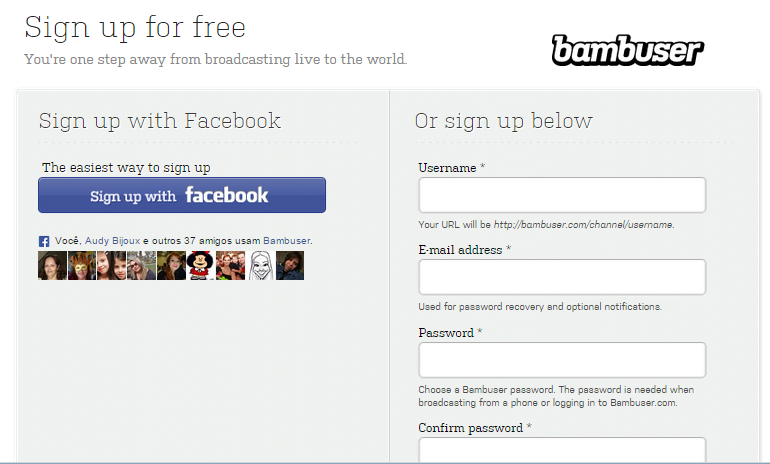
First way: on the upper right corner you will see two options - Log In or Sign Up, if you want to create an account on Bambuser. If you select Log In you will have the option to Log In with your Facebook account (right) or to Log In with your Bambuser account if you have one (left).

Second way: if you try to add a comment you will also had the chance to join.

This is what you will see it:

Once more you will have two options to login. The easiest way is to use your Facebook account. Just select Facebook and Bambuser will do the rest to you.
That is it. It looks like complicated at first, but once you do a couple of times you will get accustom with these steps and it will become natural.
Let me know if you have any question. You can email me at info@NatureToBody.com or leave me a comment.
XOXO,
Djana